
​ Instagram Tagged Posts: How to Add Them to Your Profile Grid
  • Home
    • News
    • Entertainment
    • The Baller Alert Show
    • Baller Alert Lists
    • Baller Alert Exclusives
    • Ballerific Music
    • That’s Baller
    • Fashion
    • Metaverse
    • Tech
    • Lifestyle
    • Sports
    • Op-Ed
    • Travel
    • Health
  • EVENTS
  • Videos
  • Shop
  • Micro Dramas
  • About
  • Political News
  • en español
No Result
View All Result
  • Home
    • News
    • Entertainment
    • The Baller Alert Show
    • Baller Alert Lists
    • Baller Alert Exclusives
    • Ballerific Music
    • That’s Baller
    • Fashion
    • Metaverse
    • Tech
    • Lifestyle
    • Sports
    • Op-Ed
    • Travel
    • Health
  • EVENTS
  • Videos
  • Shop
  • Micro Dramas
  • About
  • Political News
  • en español
No Result
View All Result
Baller Alert
No Result
View All Result

How to Add Posts You’re Tagged In to Your Instagram Grid Without Reposting

Instagram's new Add to Grid option puts photos and videos you're tagged in right on your main profile, no repost or Collab invite needed

Grace L. by Grace L.
November 9, 2026
in News
Reading Time: 2 mins read
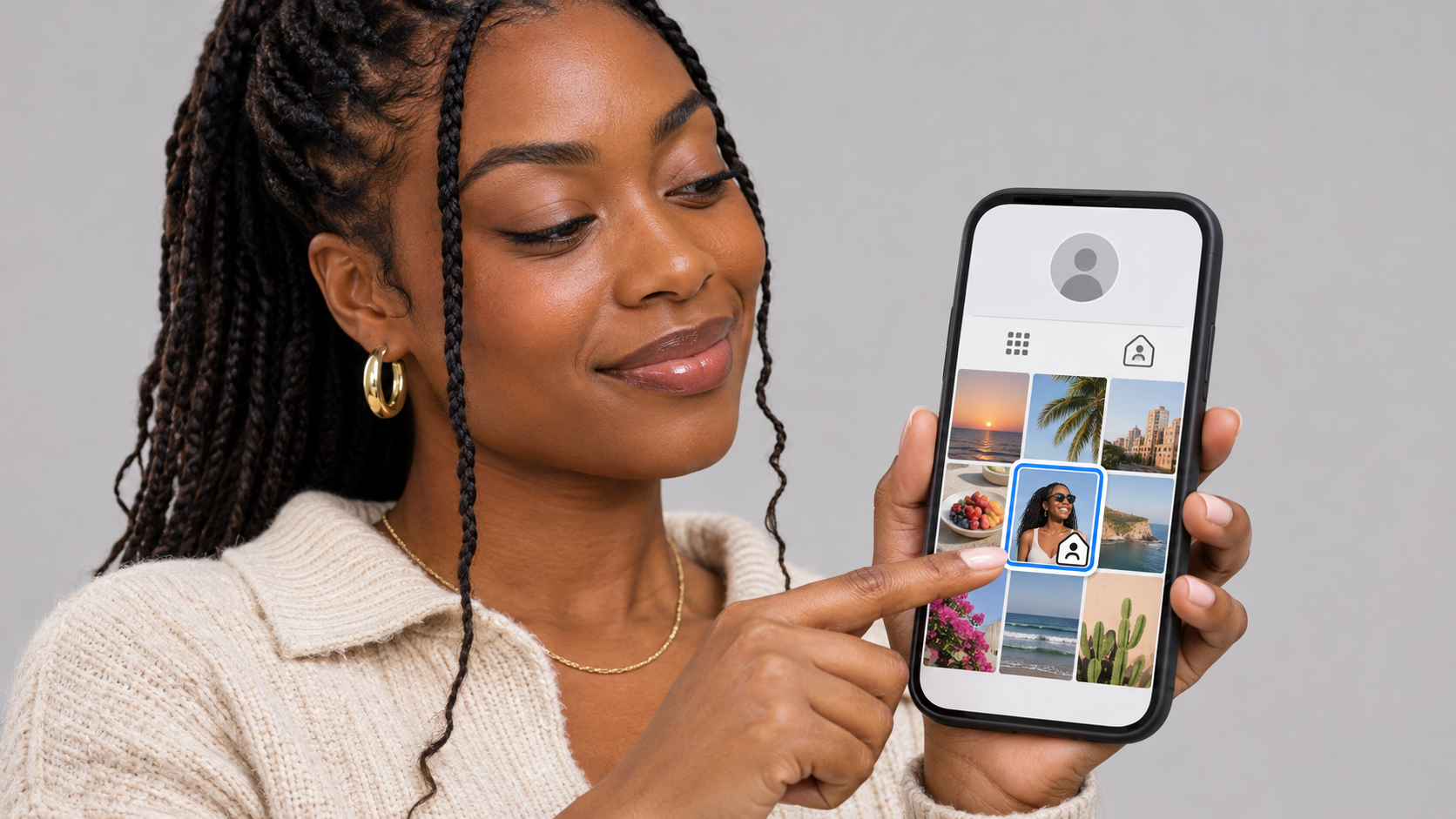
Instagram tagged posts added to a main profile grid using the new Add to Grid option

Instagram now lets users add posts they're tagged in to their main profile grid

Instagram tagged posts can now sit on your main profile grid right next to your own uploads, with no reposting and no Collab invite required. Instagram started rolling out the feature on September 10, and Instagram head Adam Mosseri announced that users can now add any photo or video they’re tagged in to their profile grid.

Before this, anything someone tagged you in lived in the Tagged tab, a separate section most people visiting your page never click. If you wanted that photo on your grid, you had to save it and repost it yourself or hope the person sent a Collab invite before they posted. Now you pick which tagged posts belong on your page, and they show up there in a couple of taps.

There are three ways to do it. The first is from your profile. Open your Tagged tab, press and hold the post you want, and select Add to Grid. The post lands on your main grid right away.

The second is from the post itself. Open any post you’re tagged in, tap the three dot menu, and choose the option to add it to your grid. The third is the fastest. When someone tags you, Instagram sends a notification to your DMs, and you can add the post to your grid straight from that message.

Once added, Instagram tagged posts show up on your grid with a small tag icon in the top right corner of the thumbnail, so visitors can tell the post came from another account. They line up in reverse chronological order by default, but you can move them around with the grid reordering tool Instagram launched in June.

Adding a tagged post to your grid is not the same as posting it. It does not push the post to your followers’ home feeds, and it does not make you a coauthor the way a Collab does. The original post still belongs to the account that published it. Your grid just displays it.

If you change your mind, you can take it off your grid anytime. Removing it does not delete the post or remove your tag, so it simply goes back to living in your Tagged tab.

Wear the cultureShop Baller Merch →
Baller Athletic Club HoodieBaller Athletic Club Hoodie$58Baller. Rainbow Logo TeeBaller. Rainbow Logo Tee$34Baller Athletic Club Unisex HoodieBaller Athletic Club Unisex Hoodie$58

Made to order and shipped to your door.

For creators, artists and brands, Instagram tagged posts on the grid turn press and shoutouts into profile content. When a media outlet tags you in a post about your new single, your show or your launch, you can now put that coverage front and center where new visitors land, without asking for a Collab or reposting a screenshot.

Short Link: https://balleralert.com/vmxo
Previous Post

From Basketball to Big Screen: Hercy Miller to Play His Dad Master P in “Snoop” Biopic

Next Post

Remy Ma Hits the Club With Claressa Shields’ Rival Alycia Baumgardner After Title Win

Grace L.

Grace L.

Grace L. is a breaking news and trends writer for Baller Alert, delivering fast, accurate updates on the stories shaping culture and current events.

Leave a Reply Cancel reply

Your email address will not be published. Required fields are marked *

Download Baller Alert App

Chat with Baller Alert Bot
No Result
View All Result
  • Home
    • News
    • Entertainment
    • The Baller Alert Show
    • Baller Alert Lists
    • Baller Alert Exclusives
    • Ballerific Music
    • That’s Baller
    • Fashion
    • Metaverse
    • Tech
    • Lifestyle
    • Sports
    • Op-Ed
    • Travel
    • Health
  • EVENTS
  • Videos
  • Shop
  • Micro Dramas
  • About
  • Political News
  • en español